by Martyn
Earlier this week, Google announced the next generation of their Analytics package. Called ‘Google Analytics 4’ – or ‘GA4’ if you insist on acronyms – it replaces and builds upon the Web+App property features that were launched last year.
There’s been a lot of fanfare about this and understandably so. Google billed it as the ‘biggest update’ to Analytics since the launch of Universal Analytics in 2013 and let’s face it, we all love a new and shiny toy. Like us, I’m sure you have many questions about what this is and what it means – allow me to cut right to the case though:
Looking for help with your analytics? We’re a Google Analytics Agency!
Should I bother upgrading to Google Analytics 4?
As you’ll read about further down, some of the new features within GA4 look very interesting and with the level of granularity and data now available, could provide a great asset for maximising your ROI at a time when it’s sorely needed. If you’re an existing GA user and look at the current interface like an old friend you don’t want to part with though, this transition may take some getting used to…
Universal Analytics is not yet being phased out but Google has said that GA4 is now ‘the future’ – this will be the default setup for new properties going forward and where the future innovation lies. So whether you want to move to GA4 or not, sometime down the line you will have to.
Data only becomes available in GA4 from day one of installation, so I’d recommend installing it now even if you don’t intend on using it in the near future.
What new features are there in Google Analytics 4?
Google has announced several new features, including:
Integrated reporting
As user behaviour can vary from different devices and profiles these days it can be difficult to get insight into how a user truly interacts with your website. Through GA4, Google is promising full reporting across devices, building upon the existing App + Web property type features to provide a combined view of multiple user streams. This allows a more complete view of how customers are interacting with your business – in their words:
“..You can see if customers first discover your business from an ad on the web, then later install your app and make purchases there”
Which is obviously very insightful data to get a hold of. Through revamped engagement and retention reports, business owners will be able to get a better understanding of customers across the entire lifecycle, providing insights and analysis that can help both win new customers and retain existing ones.
Smart insights
GA can now alert you to interesting trends in your data – for example, products seeing a surge in demand because of particular user needs. This is calculated by advanced machine learning and allows you to:
“…efficiently invest in retaining customers at a time when marketing budgets are under pressure”
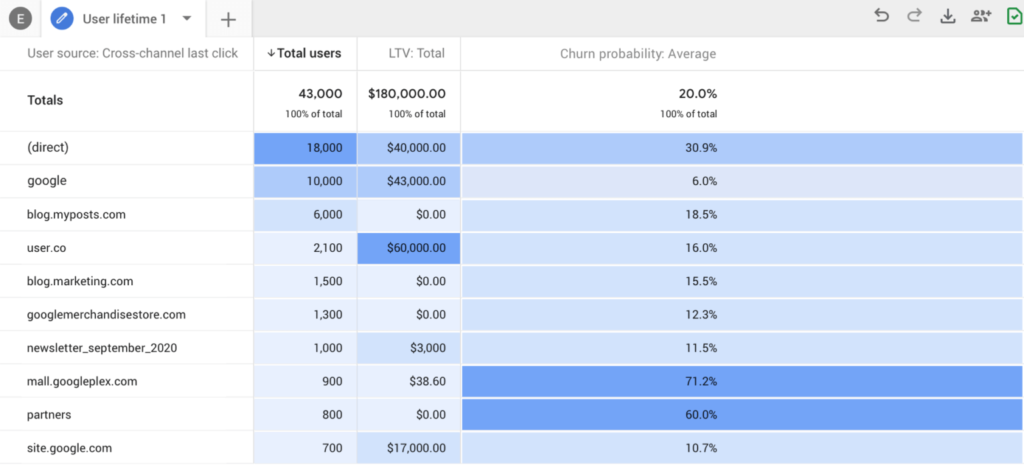
There are also predictive metrics being added, such as potential revenue that can be generated from a defined set of customers, allowing for deeper analysis and more informed decision making.
Data Control
GA4 will make it easier to collect and manage data by introducing new controls. For example, it’ll be made simpler to identify users who have given permission to collect data for Analytics purposes but chose to opt-out for personalised ads. At a time when data privacy is under great scrutiny – from users and regulators alike, this is an important addition.
Google is also outlining that GA4 is built to ‘adapt to a future with or without cookies’ – they hope to use modelling to ‘fill in the gaps’ where data is incomplete. An interesting development for sure, however, the degree of accuracy this results in remains to be seen.
Google Ads integration
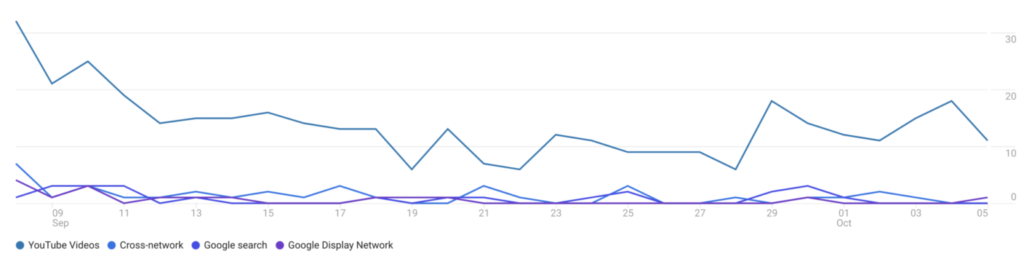
Through a deeper integration with Google Ads, you will be able to create audiences and segments in much granular detail. The enhanced machine learning in GA4 makes it possible for audiences to be identified and created for you based on the data and a significant help towards improving the ROI on your marketing efforts.
As GA4 is better equipped to track users across multiple devices, this can now include data from the Youtube app in addition to your Google/non-Google marketing channels – allowing you to see a joined-up view of how one user interacts with your business through various marketing efforts.
Codeless event tracking
Setting up event tracking – like playing a video or a specific link click – can now be done in the interface rather than through separate pieces of code or Google Tag Manager. A small innovation on paper perhaps but given incorrect event code implementation is one of the most common causes of data integrity issues we see in our Analytics audits, this is a potential game changer!
How do I get the new Google Analytics 4?
Accessing the new Google Analytics depends on your current tracking setup:
- If you’re setting up Google Analytics for the first time on your domain then there is nothing you have to do to upgrade, going forwards this is now the default property type.
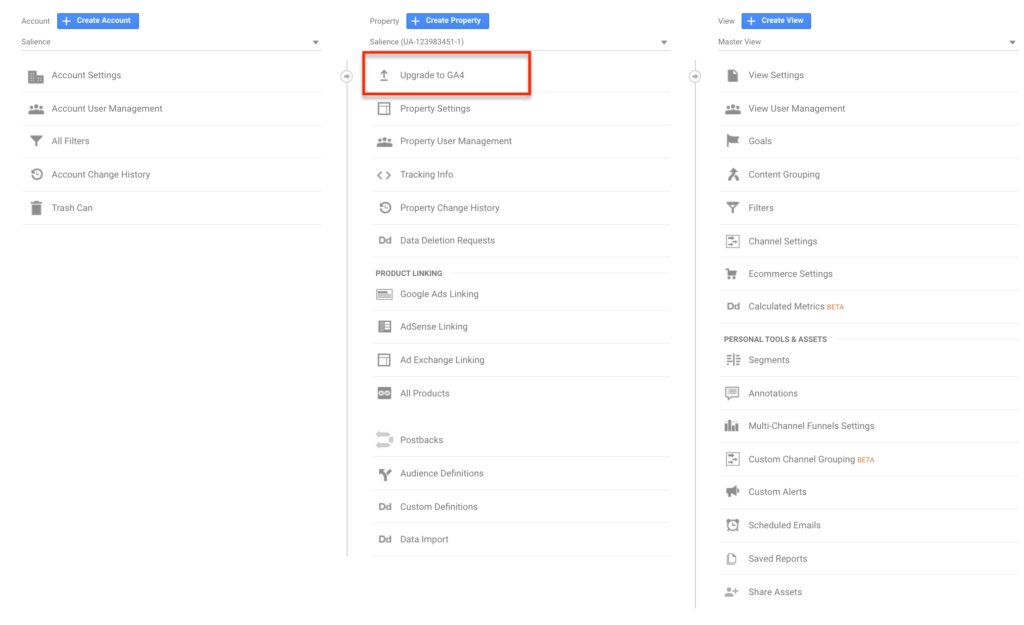
- If you’re an existing user of Universal Analytics, then the ability to ‘Upgrade to GA4’ is given under Admin > Property. This will launch an easy to use setup wizard that leverages your existing tagging setup and creates the new GA4 property in your account, without the need for additional code.

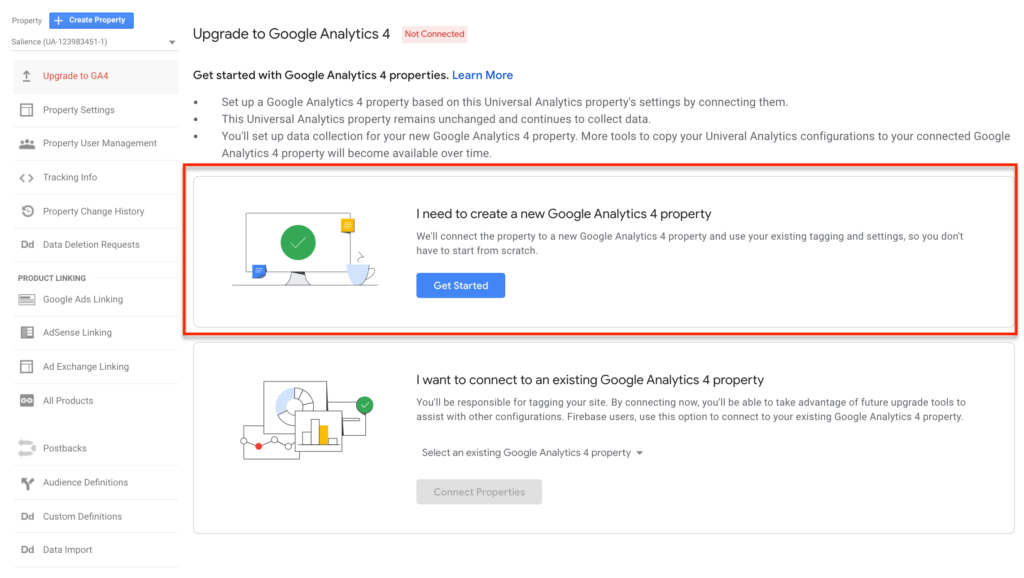
(NOTE – I’ve heard that this method to upgrade is currently being rolled out and is in Beta. If this isn’t showing up for you then you’ll need to create a new ‘Apps + Web property’ in your account and deploy a new tracking code through gtag.js script or Google Tag Manager. Once this has been installed it will begin to start tracking data in the account.
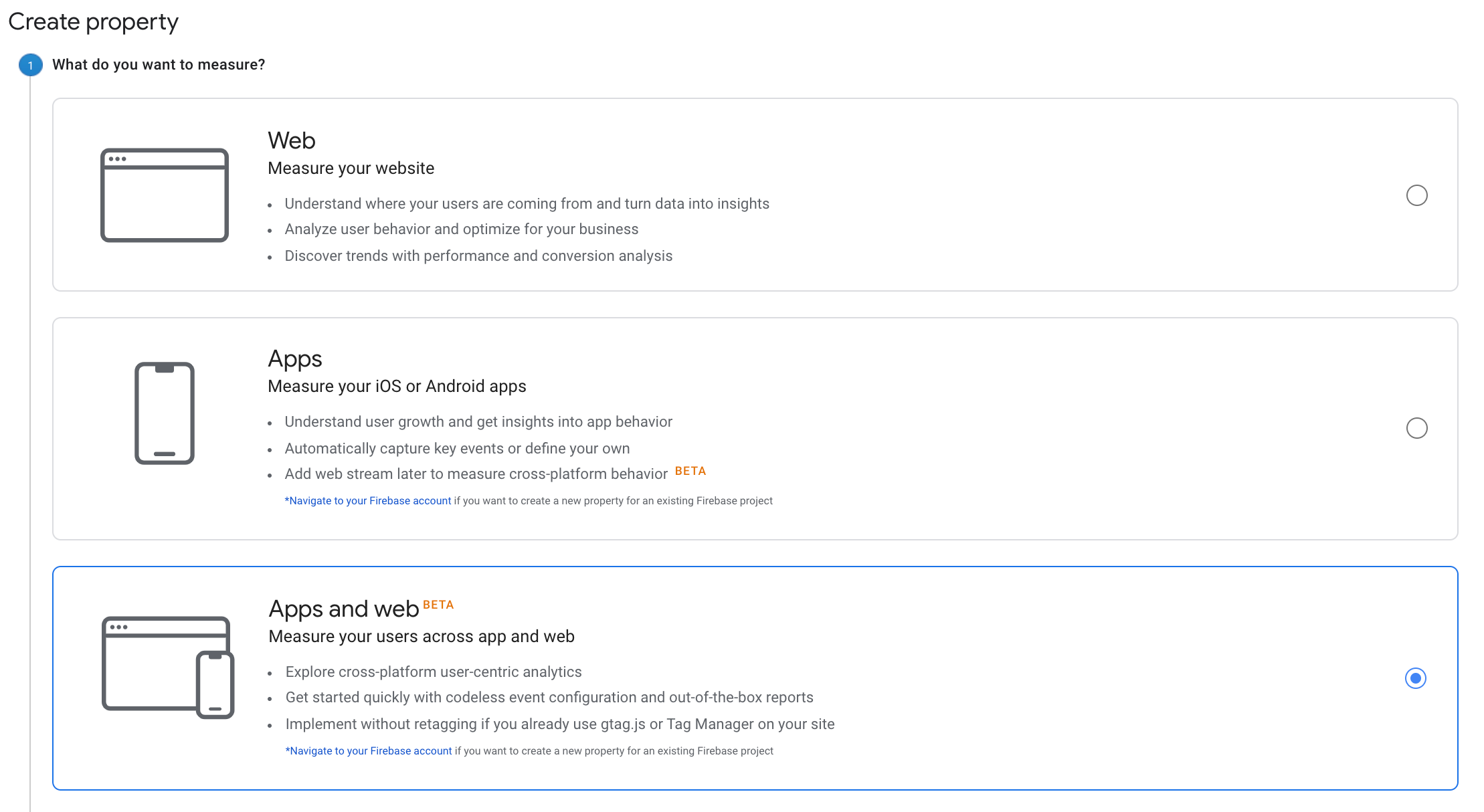
- If your property was already set up as ‘Apps and Web’ then you already have access to the GA4 features.
So if you’re brand new or an existing Google Analytics for Firebase user no action is required. If you currently have the Universal Analytics Web property account there is a little bit of setup required to run it alongside your existing property. Short term pain for…integrated customer lifecycle data, that’s how the saying goes, isn’t it?
If you’re wanting to know more about Google Analytics 4 or need some assistance with implementation, get in touch with us today.